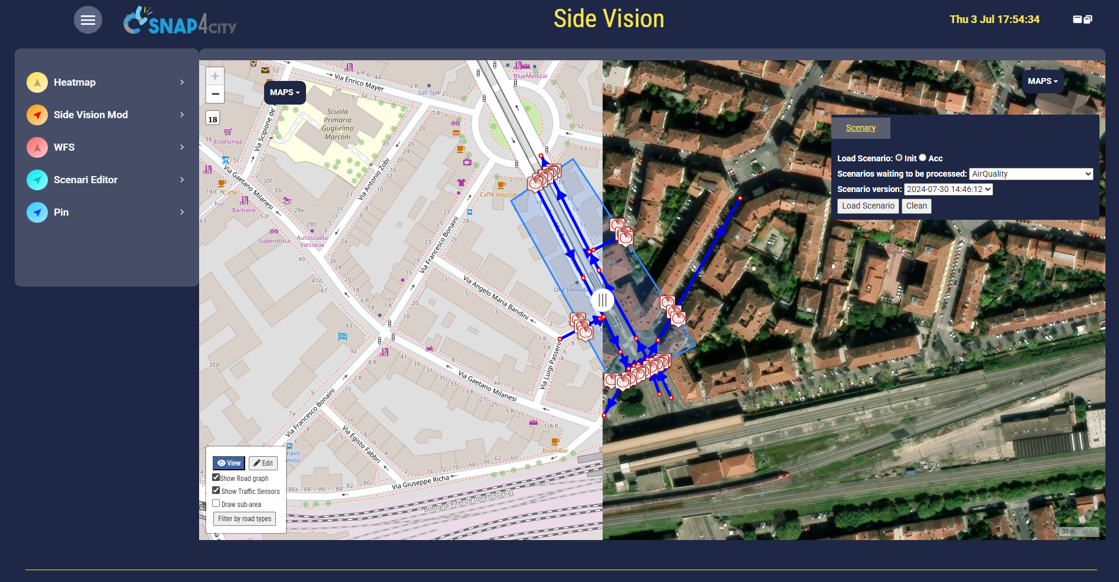
To activate the SideVision tool on MultiDataMap you have to insert an item on a selector with /sideVision/ on query selection.
Please note that the modality can be activated only if the MultiDatamap Widget has the Orthomap menu activated from its MoreOptions.
The movement of the central slide change the point of change map, left to right.
The Map menus on left and right allow you to select the orthomap you like. The loading of default orghomap is defined in the moreoptions.
The loading of other orthomaps have to be performed by the administrator.
The Entities can be: pin, heatmaps, ODM, floors, building, scenarios, paths, anything