Sentinel is the tool for troubleshooting, monitoring, performing tests, gathering logs from on installations based on Snap4City technology.
This tool is provided in the Micro X Sentinel version. It usually has to be installed in a separate VM accessing to all the infrastructure.
The Sentinel tool is available for users that have to manage and supervise the snap4city infrastructure, typically the RootAdmin. By visiting the Sentinel main web page the admin user can see the status of all the containers of the cluster, divided in multiple categories. By default, Sentinel reduces the data gathered by showing the most relevant columns avoiding to provide too information. This can be toggled by accessing the menu “Show operational actions” on the top navbar and clicking on “Show additional columns” (The button changes its text to reflect the toggling operation).
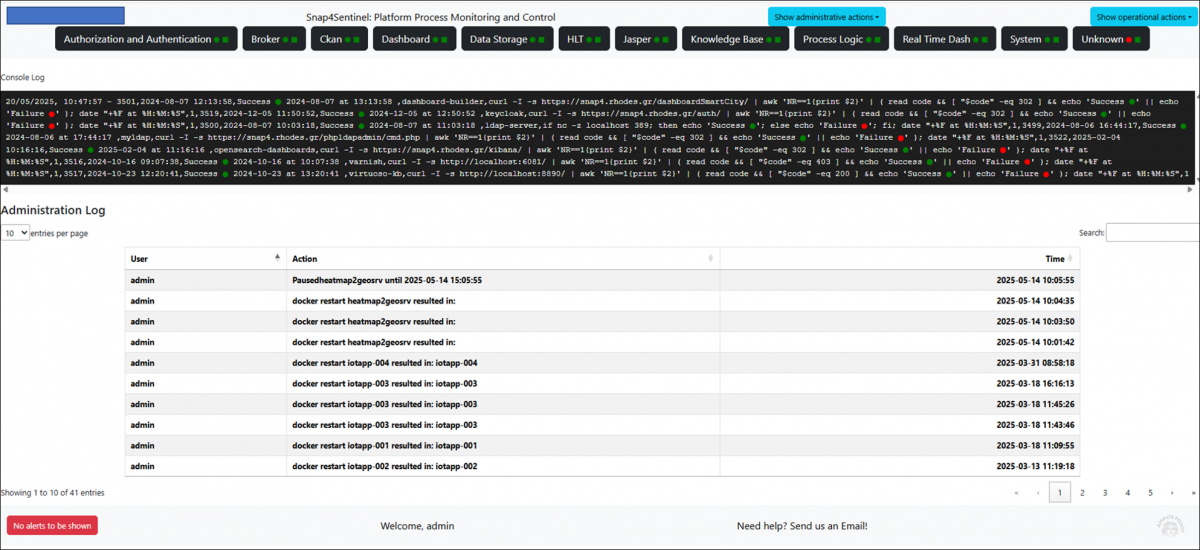
The summary of each category of components on top of the webpage, provides a short description of the current status. A green dot indicates that the category has all of its components in the intended execution status (usually running). A red dot indicates that at least one component is not in the intended execution status. There are also green and red squares representing the results of a “is alive” test.
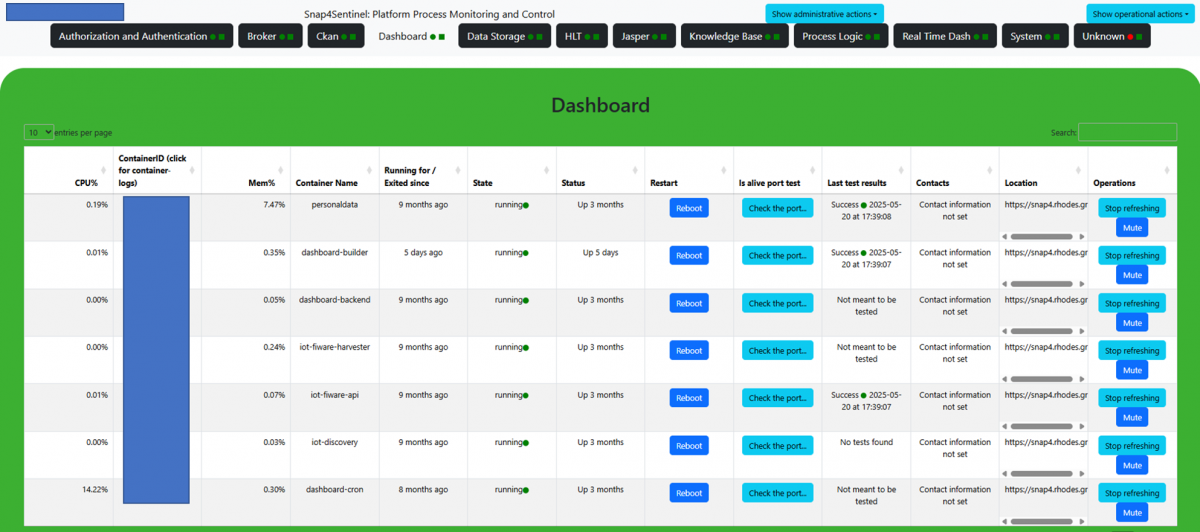
Clicking on the button of the desired category at the top of the page opens a view showing the details of all active services, with the possibility to check their status, resource usage, and perform actions such as rebooting the service and running an "is alive" check. In order to see the logs of a docker container, the Sentinel tool exposes webpages to see the logs.
Sentinel tool also runs sanity checks on the containers, on startup and periodically. If a container is found not to be its expected status, the backend takes notice of that and takes notice of each test that failed as well. If any unexpected status is found or if any “is alive” test has failed, the backend sends an email to a list of recipients defined in the configuration, then it also sends the same alert with a Telegram Bot to a channel specified in the configuration.
--- end ---
