How to: Engaging City Users via QR Codes and taking benefits

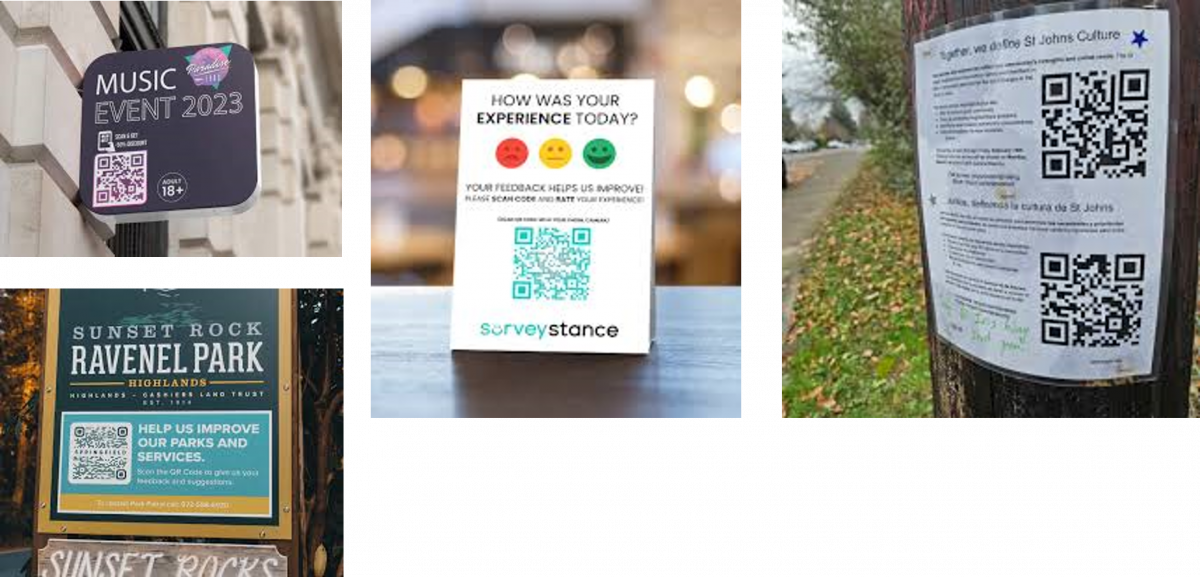
The usage of QR codes is quite diffused. The city users are used to explore the QR codes to: (i) provide their feedback, (ii) get information, (iii) emergency, (iv) suggest improvements to services, (v) making complains, etc.
On the other hand, the QRs can be localized in the city and referred to attractions, conditions, events, locations, etc. and thus they are a source of data for the city operators and decision makers.

Snap4City with TOURISMO project has developed a tools for easily produce and manage QR codes and collect data from them, also integrating those data with other data coming from sensors and devices of any kind, for ticking data, from mobile data, drone data, etc. 
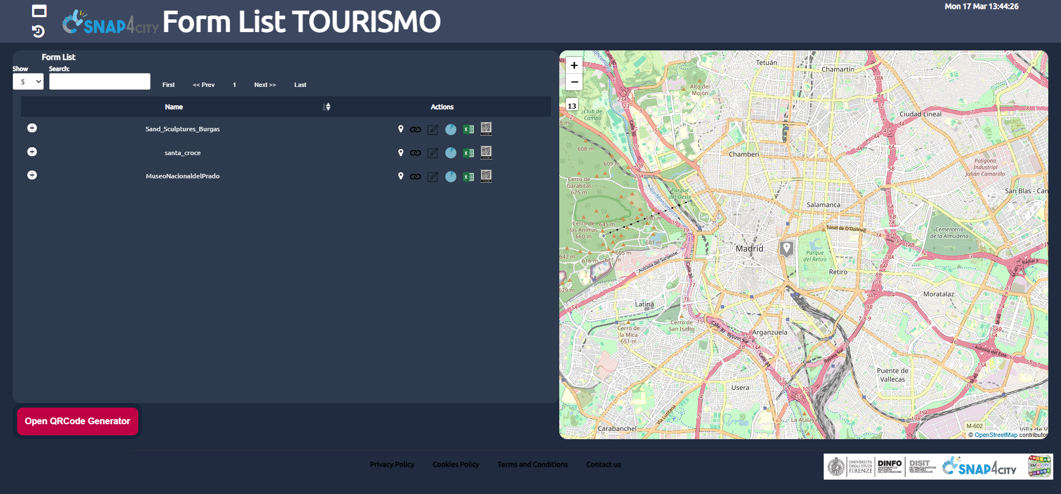
the QR code  management solution is granted via a tool which allows you to connect any kind of forms, generate a QR code, and use it for your banners and flyers in the city.
In addition, the connection with the data produced is also established for data collection and automate analysis.

The production of the QR code is easy:

  1. name of the QRCode. Note that the name can’t contain space nor special characters ( like $, %, &, (, ), …)
  2. form url (Form Url) FOR VIEW, This user is for actually compiling the form, once created is usually accessible for everybody
  3. url to edit the form (Form Edit Url): Please note that to access them you have to be authorized by the Google Sheet  owner
  4. url to see the responses of the form (Form Responses Url): Please note that to access them you have to be authorized by the Google Sheet  owner
  5. url to access at the excel file or CSV (Form Sheet Url): Please note that to access them you have to be authorized by the Google Sheet  owner

Once create a view on QR management systems is provided, on which it is possible to recall where they have been located, the links to the editing and accessing to the data and statistics, etc. 
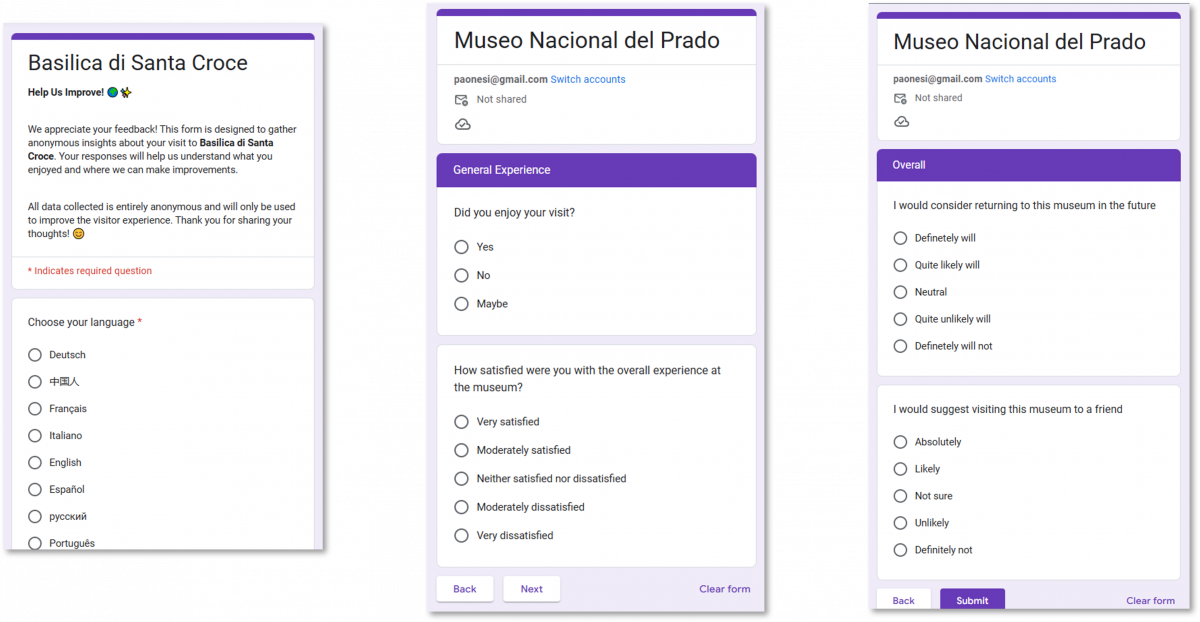
The forms can be referred to events, attractions, locations, etc. The limit is your fantasy. Any kind of linked questionnaire tool… we used Google Forms for trial and start.

An user manual on how to setup Google form is accessible from: https://www.snap4city.org/drupal/sites/default/files/files/QRCodeTOURISMO.pdf
Questions can be open or closed, single or multiple. You can integrate a large set of media, etc. 
In alternative you create use a different tools. 
those that are more skilled on Snap4City can even create a CSBL web page for direct collecting data and feeding data into the Snap4City platform.
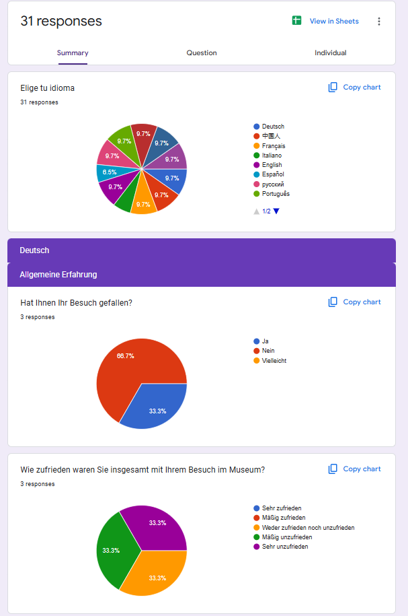
According to the tools that you decide to use you can get

  • Direct Statistics, and analytics
  • Open text answers / comments can be processed for sentiment analysis via Snap4City, and SnapAdvisor LLM

Any way, any kind of data can be loaded on Snap4City for further analysis and reporting on Dashboards
-- end --



How to: Engaging City Users via QR Codes and taking benefits | Snap4City

Error

×

Error message

  • Unable to send e-mail. Contact the site administrator if the problem persists.
  • Unable to send e-mail. Contact the site administrator if the problem persists.
  • Unable to send e-mail. Contact the site administrator if the problem persists.
  • Unable to send e-mail. Contact the site administrator if the problem persists.
  • Unable to send e-mail. Contact the site administrator if the problem persists.
  • Unable to send e-mail. Contact the site administrator if the problem persists.
  • Unable to send e-mail. Contact the site administrator if the problem persists.
  • Unable to send e-mail. Contact the site administrator if the problem persists.
  • Unable to send e-mail. Contact the site administrator if the problem persists.
  • Unable to send e-mail. Contact the site administrator if the problem persists.
  • Unable to send e-mail. Contact the site administrator if the problem persists.
  • Unable to send e-mail. Contact the site administrator if the problem persists.
  • Unable to send e-mail. Contact the site administrator if the problem persists.
  • Unable to send e-mail. Contact the site administrator if the problem persists.
  • Unable to send e-mail. Contact the site administrator if the problem persists.
  • Unable to send e-mail. Contact the site administrator if the problem persists.
  • Notice: Trying to get property of non-object in user_is_logged_in() (line 1576 of /var/www/html/drupal/modules/user/user.module).
  • Notice: Trying to get property of non-object in user_is_logged_in() (line 1576 of /var/www/html/drupal/modules/user/user.module).
  • Notice: Trying to get property of non-object in og_field_access() (line 578 of /var/www/html/drupal/sites/default/modules/og/og.module).
  • Notice: Trying to get property of non-object in user_access() (line 806 of /var/www/html/drupal/modules/user/user.module).
  • Notice: Trying to get property of non-object in user_access() (line 818 of /var/www/html/drupal/modules/user/user.module).
  • Notice: Trying to get property of non-object in user_access() (line 819 of /var/www/html/drupal/modules/user/user.module).
  • Notice: Trying to get property of non-object in user_access() (line 825 of /var/www/html/drupal/modules/user/user.module).
  • Notice: Trying to get property of non-object in user_access() (line 828 of /var/www/html/drupal/modules/user/user.module).
  • Warning: Cannot modify header information - headers already sent by (output started at /var/www/html/drupal/includes/common.inc:2791) in drupal_send_headers() (line 1499 of /var/www/html/drupal/includes/bootstrap.inc).
  • Error: __clone method called on non-object in og_user_access_entity() (line 2249 of /var/www/html/drupal/sites/default/modules/og/og.module).
The website encountered an unexpected error. Please try again later.